HTTP DIAGNOSTIC TOOL
Trace every redirect hop and name the ones you did not need
Paste a URL. Redirectdepth follows the redirect chain hop by hop and reports each one: status code, destination, and what changed at that step. Then it names the hops that were avoidable.
Four hops before anyone sees a byte
Every hop in a redirect chain is individually defensible. http to https
is correct. Apex to www is correct. Adding a trailing slash is correct.
Lowercasing the path is correct.
Do all four in sequence and a visitor waits four round trips before the first byte of HTML, on a mobile connection where each one costs real time — and every hop is a separate chance for one to break and strand the chain.
Redirectdepth shows you the stack. Not just the final destination, but every intermediate hop, what changed, and which ones your server could have combined into a single redirect.
Paste a URL, read a trace
You paste a URL — from your browser bar, a link checker, a monitoring alert. Redirectdepth
follows the chain manually, one fetch at a time, with redirect: 'manual',
so it captures every intermediate response rather than jumping to the final destination.
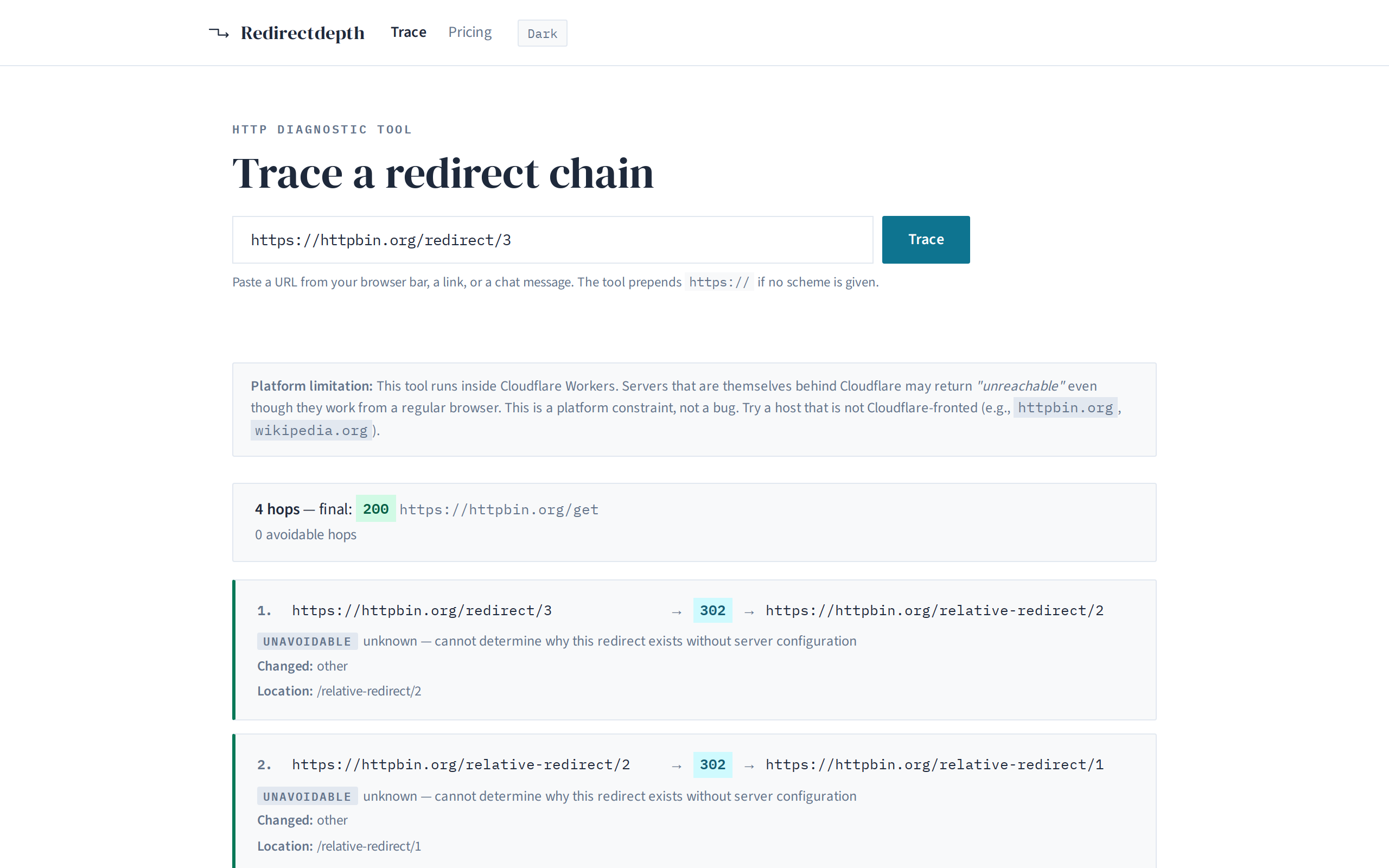
Each hop is a card: the source URL, the redirect status code, the destination URL, and a bullet list of what changed — scheme, host, trailing slash, case, query parameters. And a plain-english explanation of why that change was necessary or avoidable.
The result is a diagnosis: three of your four hops were avoidable and could have been collapsed into one server rule.
A chain is a diagnosis
Here is what the trace looks like for a URL that goes through three redirects before
reaching a 200:
Free for single traces
The tool is free for individual URL traces, no account needed. Paste a URL, see the chain.
The Cloudflare Workers free tier supports up to 100 k requests/day. If your team needs higher volume, or wants to trace URLs on a scheduled basis, see pricing.
What this tool does not do
It does not change any configuration. Redirectdepth is a diagnostic tool. It tells you which hops are avoidable and why; it does not write your server rules.
It does not guess at your server software. Apache, Nginx, Cloudflare, Netlify, IIS — the tool does not care. It reports what the server actually sent in the response headers, not what it assumes your config looks like.
It does not measure real user latency. Every hop is timed from the Workers runtime, which is not a mobile device in Mumbai. The hop count is the diagnosis, not the milliseconds.
It cannot reach hosts behind Cloudflare. A Cloudflare Worker cannot open a connection to another Cloudflare-fronted host. Those hosts will report as unreachable. This is a platform constraint, not a limitation of the tool.
But curl -L already follows redirects
curl -L follows the chain, but it does not name what each hop
accomplishes. You get the final response body and maybe a list of URLs — you do not
get a structured report of what changed at each step, which hops were avoidable, or
a plain-english explanation of why.
Redirectdepth formats the output so you can see the pattern in one scroll: three hop cards, each with its changes and classification. The copy button gives you a plain-text summary for a ticket or a chat message.
And curl cannot tell you why a hop exists — whether trailing-slash normalization needs a separate round trip or could be folded into the same server rule that handles the scheme upgrade.
Try it now
Paste a URL above and trace its chain. No account, no signup, no cost.
Or go straight to the full tool.